
TasteByWinnie
Overview
A Nigerian catering business in Texas was running entirely on WhatsApp orders and manual payments. We rebuilt everything — a full ordering system, online payments, real-time tracking, and an admin dashboard — and launched it in a week.
The kitchen never stopped. Now the website keeps up.
A catering business, fully digitised in a week.
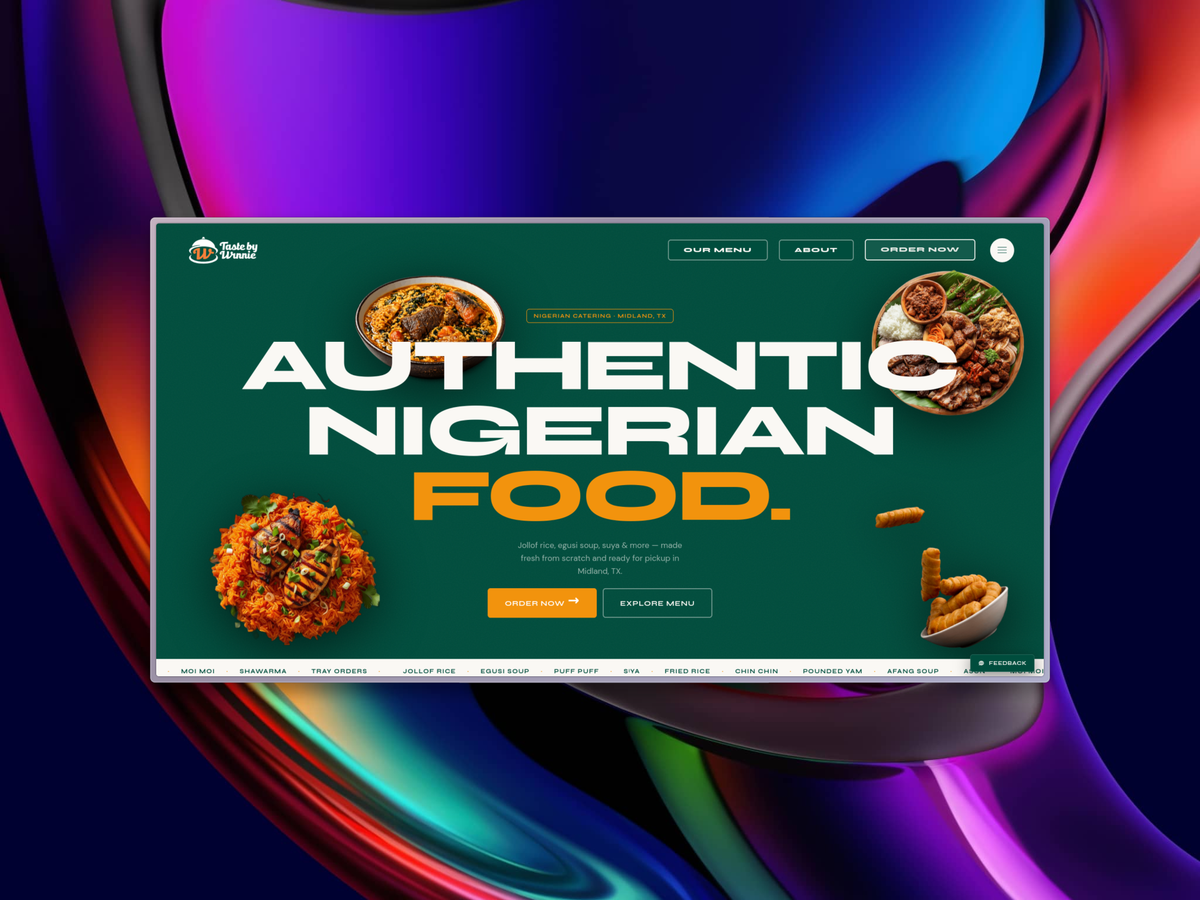
Winnie runs a Nigerian catering business out of Midland, Texas. Authentic Nigerian cuisine, made fresh and ready for pickup by a loyal and growing customer base.
She already had a website. What she didn't have was a way for customers to order and pay online, or a proper system for her team to manage everything on the backend. That was the brief — build an order management system with notifications.
Simple enough. Until I looked at the existing site.
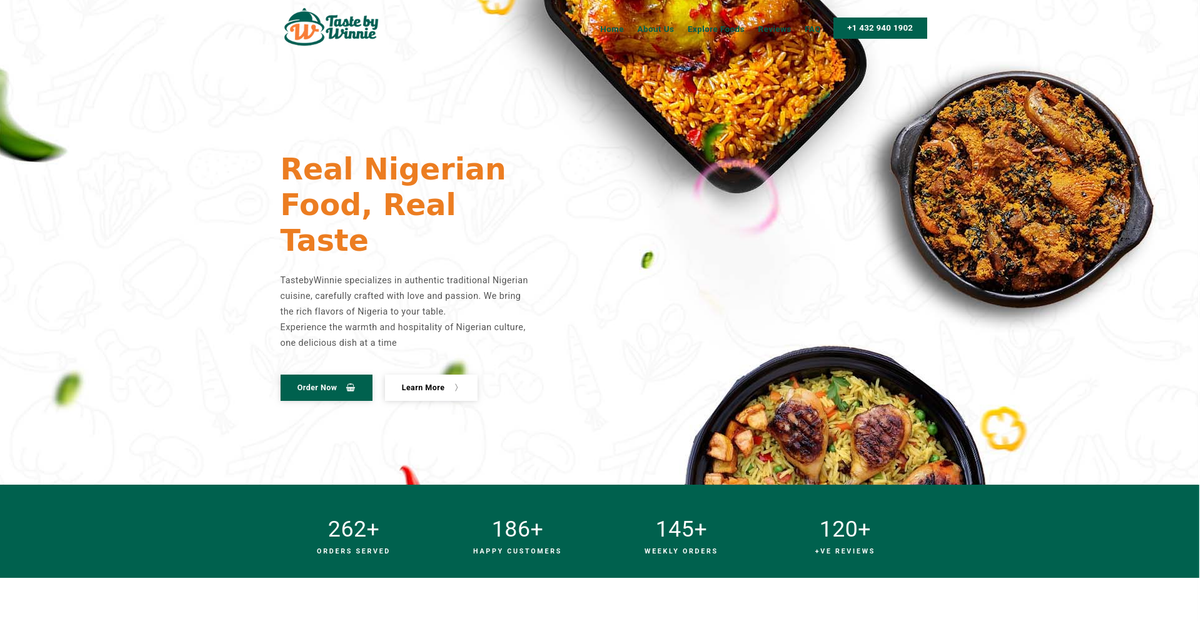
A WordPress theme from ThemeForest. Functional, but dated. And sitting next to the clean, modern order system I was already building, the contrast was hard to ignore. Launching something polished inside a tired shell would have undersold everything. So I proposed a full rebuild alongside the original scope. Same timeline. She said yes.
The build
One week. A static WordPress site for reference. A clear picture of what the business actually needed. Here's everything that shipped.
A website that finally matches the brand
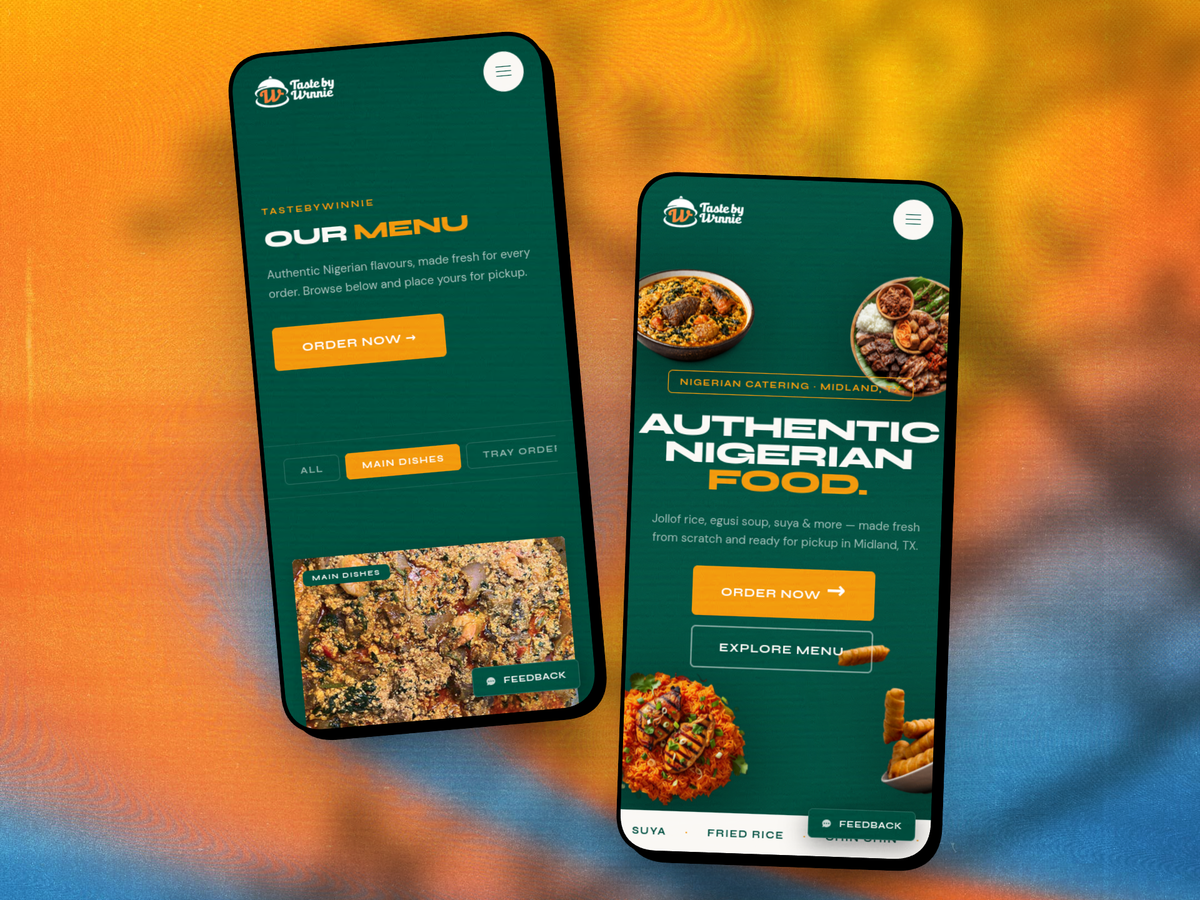
Bold, food-forward, unapologetically Nigerian. The new site leads with the food — real photography, proper dish presentation, a scrolling marquee of menu items running across the bottom of the hero. Clean navigation, clear calls to action, and a homepage that makes you want to place an order before you've even finished reading.
Fully responsive, fast, and built to grow. No page builder, no theme limitations, no plugins to maintain.
A menu customers actually want to browse
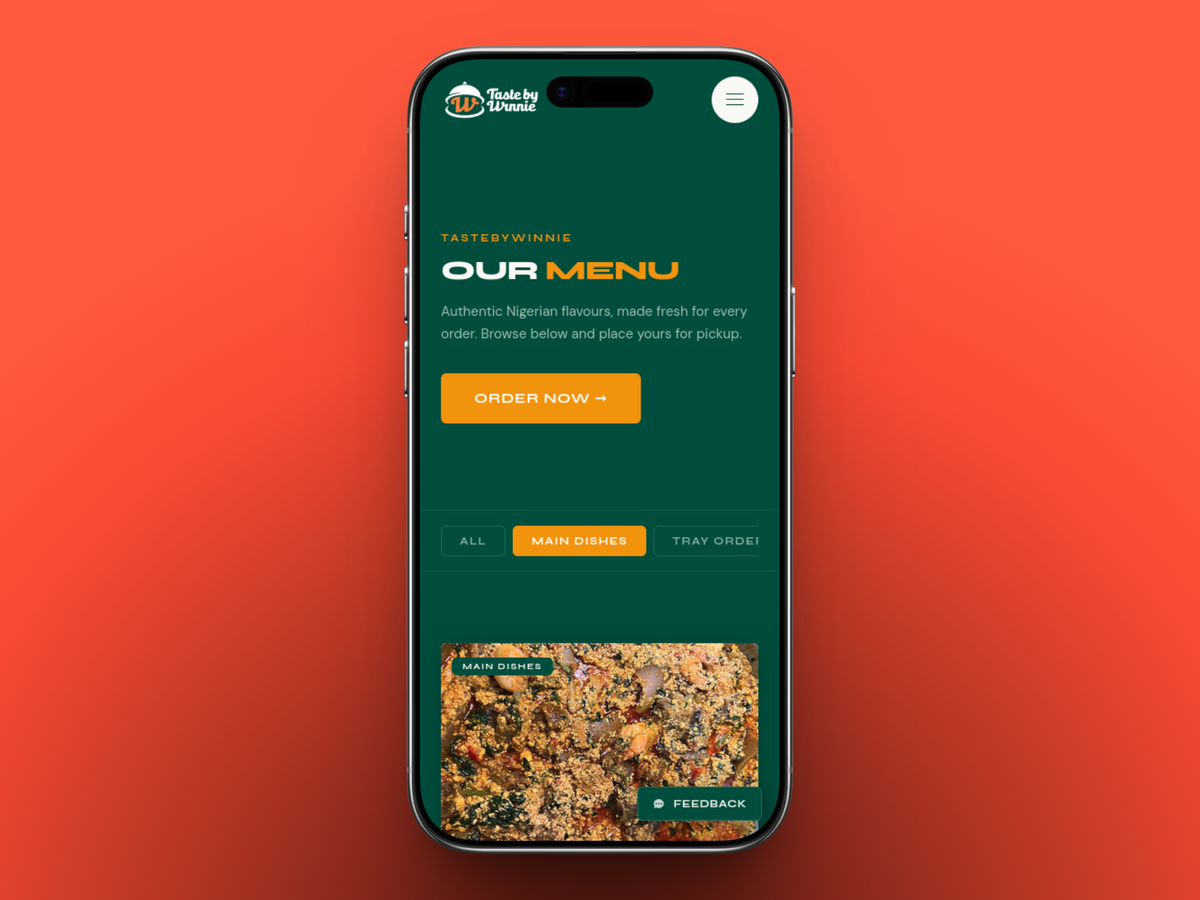
Menu items across five categories — Main Dishes, Tray Orders, Soups, Sides, and Drinks — each loaded from the database and server-cached for speed. Sticky category filter tabs sit at the top and track your scroll position so the active tab always matches where you are on the page.
Every card shows the dish image, current price, a strikethrough compare price for sale items, and any variant or extras badges inline. Tapping a card opens a modal where you pick your variant, choose add-ons, set quantity, and add to cart. Clean, fast, no page reloads.
Ordering without the friction
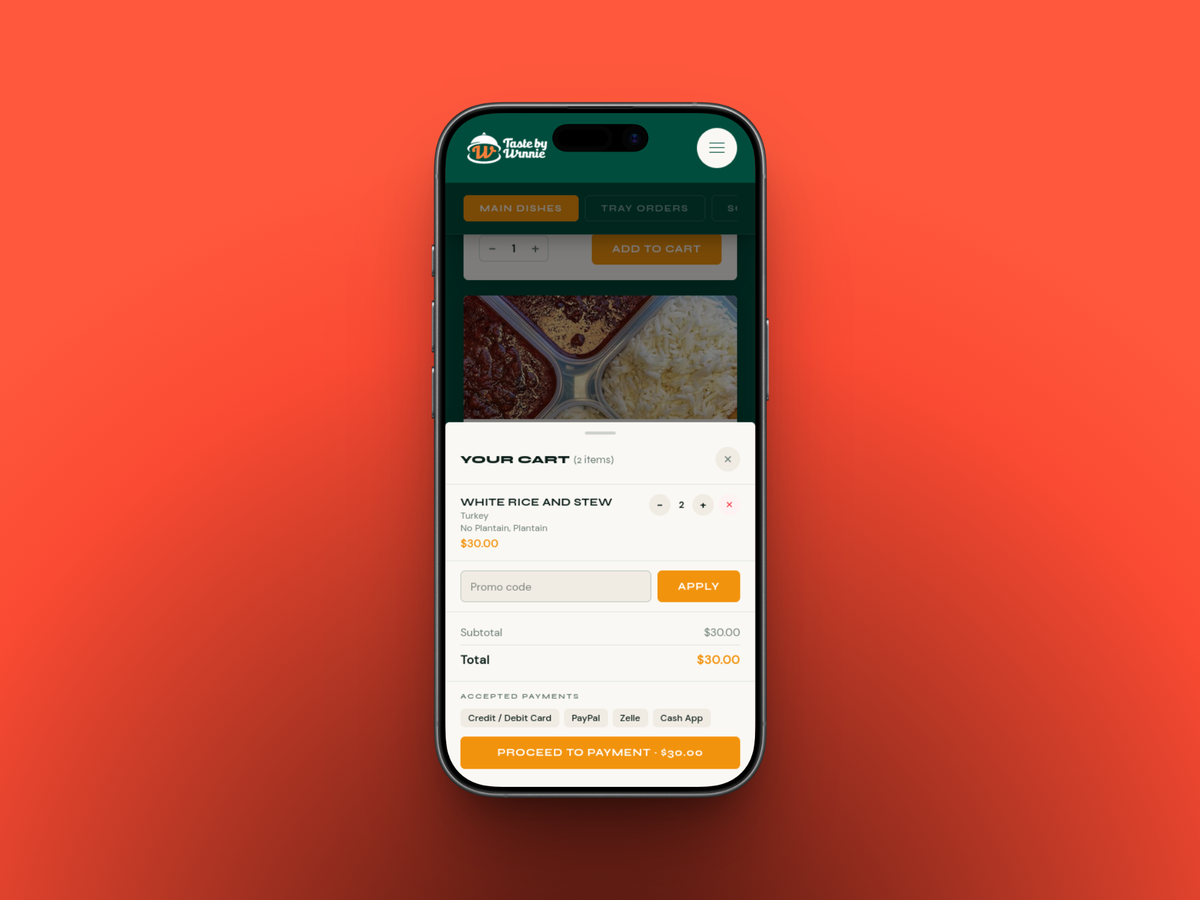
No account. No sign-up wall. No unnecessary steps.
Customers build their cart, apply a promo code if they have one, and select a pickup day from the days Winnie has configured. They fill in their name, email, phone, and any special requests, then proceed.
For larger catering orders, the deposit logic kicks in automatically before they ever reach checkout. If the order total crosses a configured threshold, the cart previews the deposit amount and the balance due upfront. No surprises at payment.
Payments that actually work
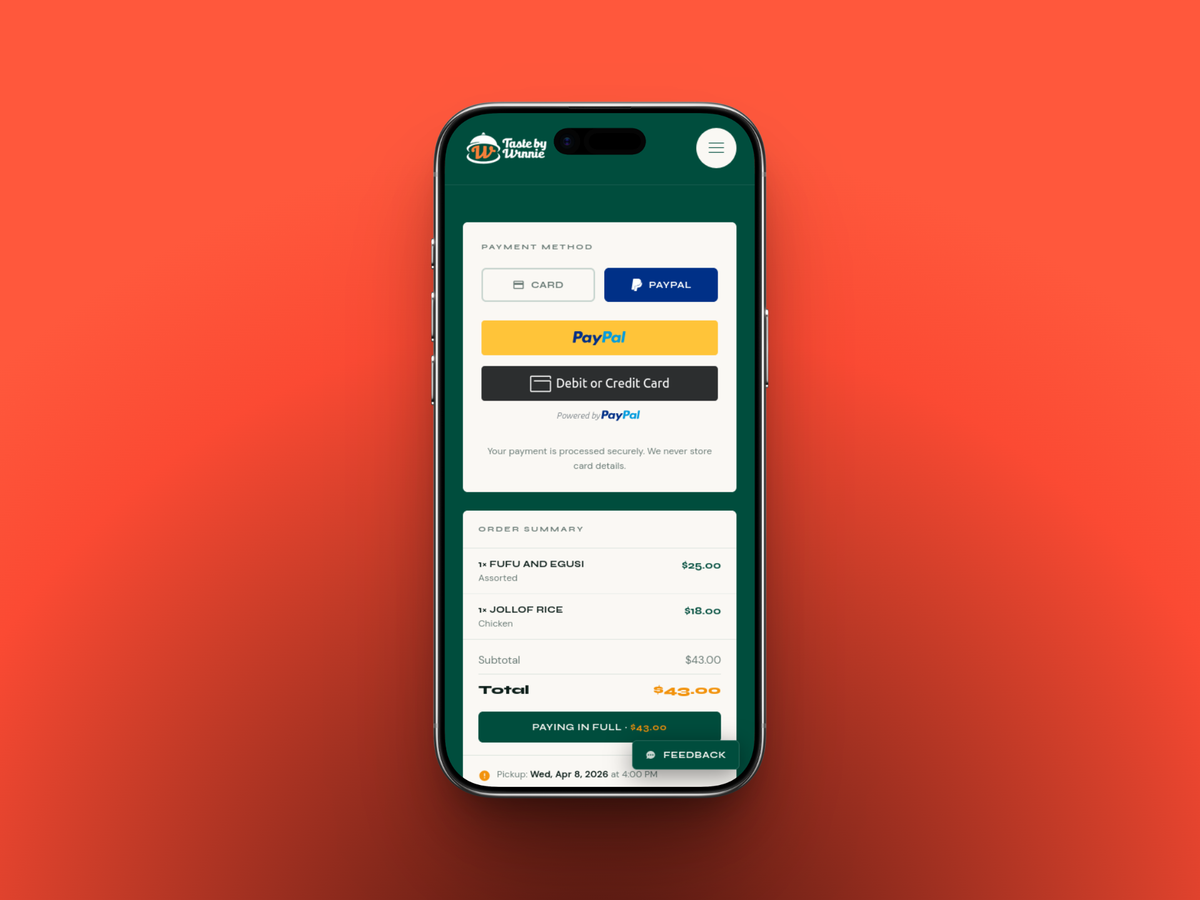
Stripe and PayPal at checkout. Cards, Apple Pay, PayPal — everything a US customer expects, all in one place.
The system handles three distinct payment scenarios without the customer ever needing to think about it. Full payment for regular orders. Deposit payment for bulk orders above the threshold. And balance payment later, when the order is ready and the remaining amount is due.
For that last one, the system automatically generates a payment link when the admin marks the order ready and sends it directly to the customer via push notification and email. They tap, they pay, it confirms. No manual chasing.
One important detail: the server independently recalculates every amount from the database before processing any payment. The customer can't manipulate what they pay.
Track your order, no account needed
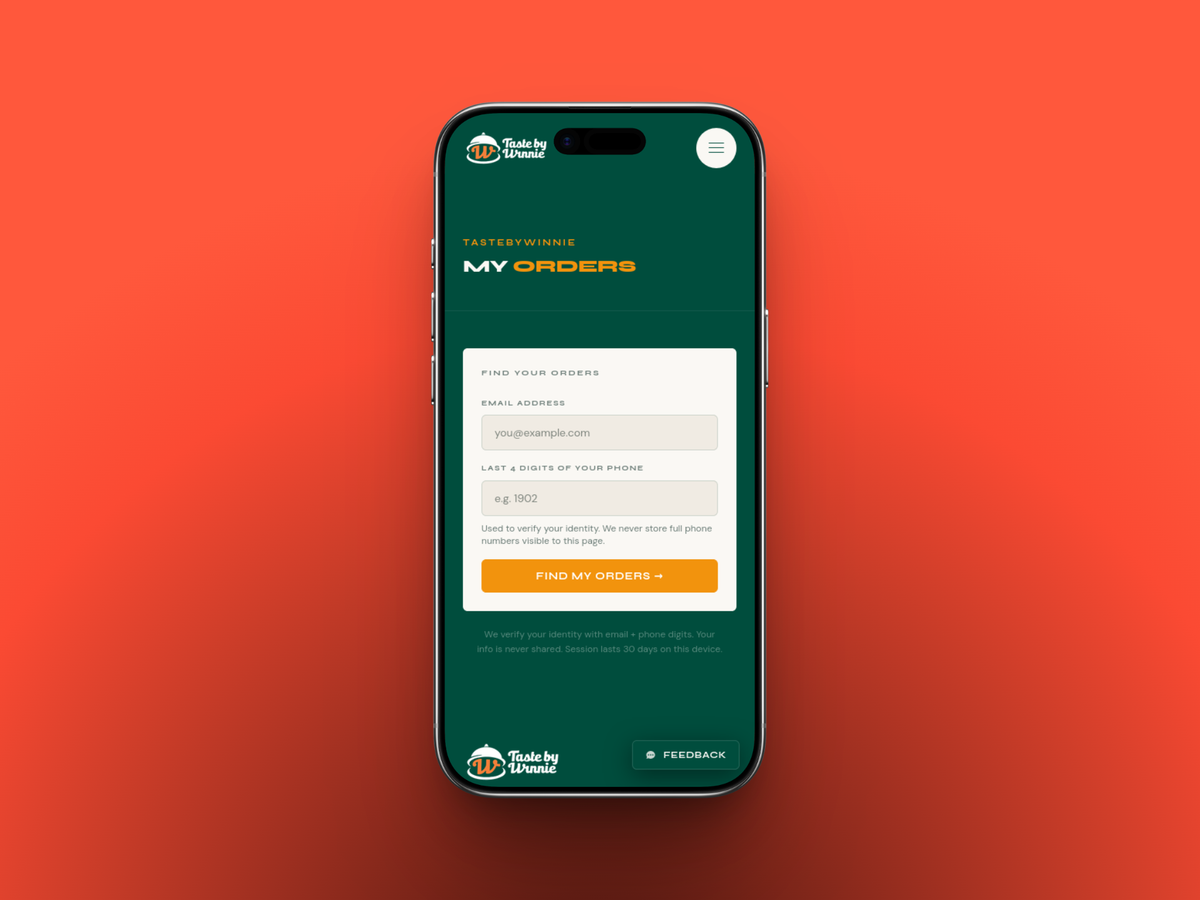
This was one of the most deliberate decisions in the whole project. Most order systems push you toward creating an account. For a catering business with a casual, community-driven customer base, that's unnecessary friction.
Instead, customers identify themselves with their email and the last four digits of their phone number. No password, no verification email, no account creation. Their session is saved locally for 30 days so returning customers are recognised automatically.
From any page on the site, there's a persistent active orders button in the corner. One tap takes them to a live view of their order status, pickup date, items, and payment status. They can also opt into push notifications from the confirmation page so they get notified the moment their order is ready, even with the browser closed.
A proper operations hub
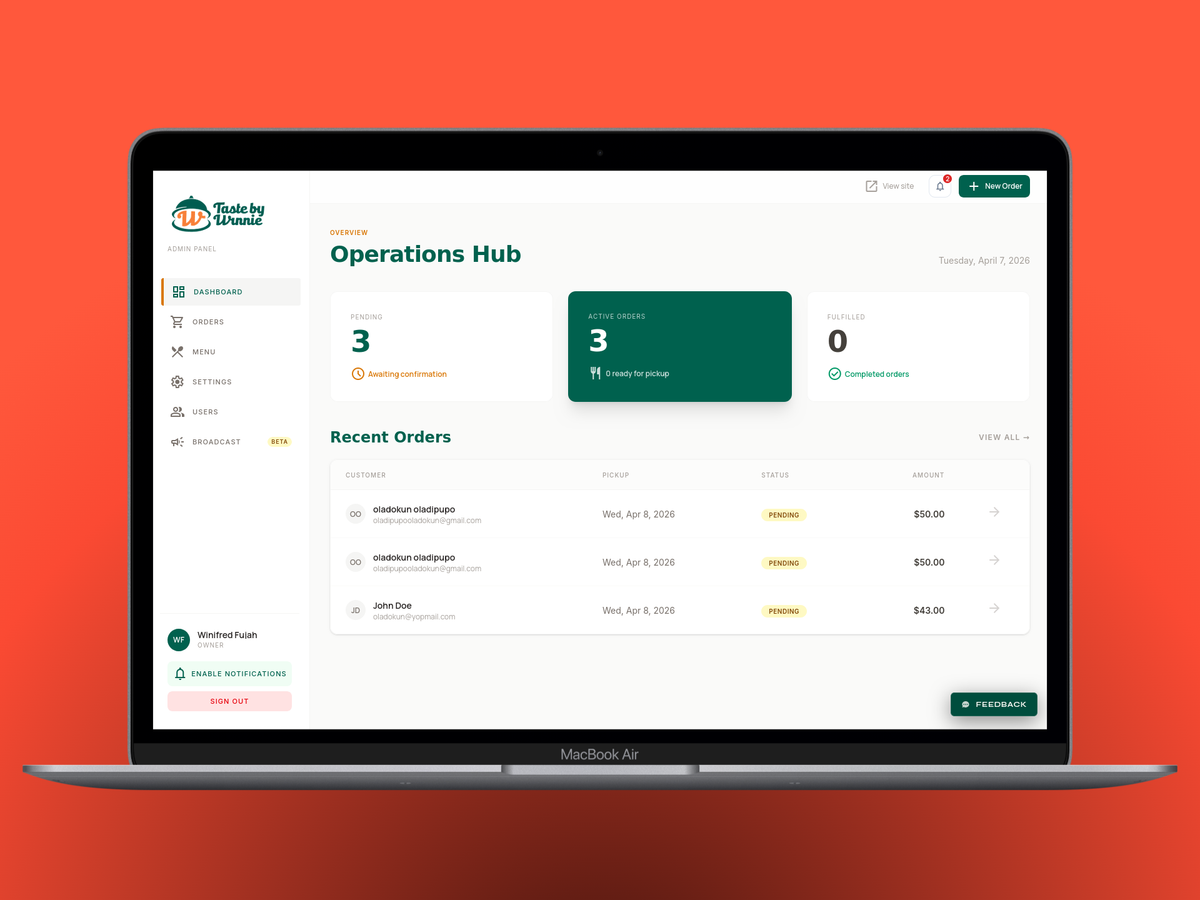
The admin side is where things get serious.
The dashboard opens to a live operations view — pending orders awaiting confirmation, active orders in progress, and fulfilled orders completed. A setup checklist at the top flags any critical configuration that hasn't been done yet. Nothing gets missed on launch day.
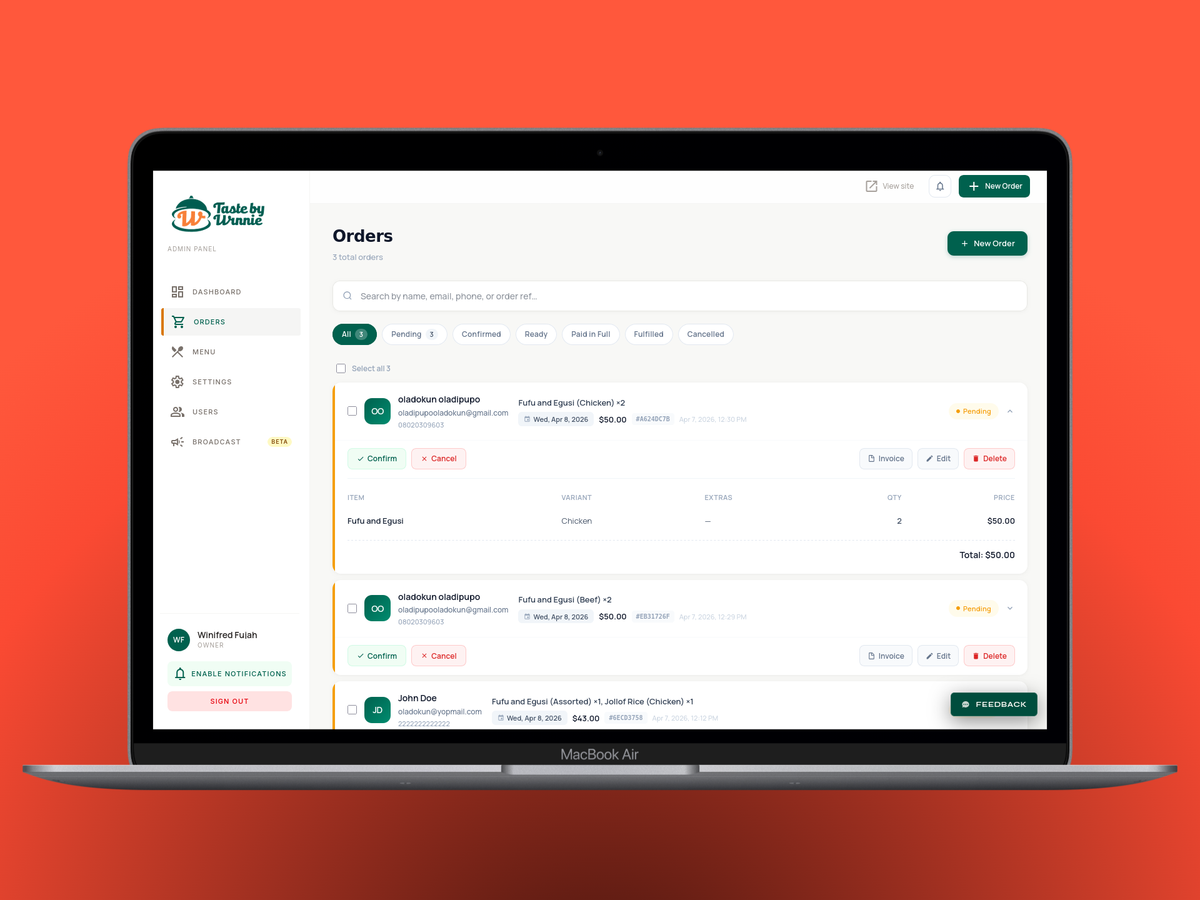
The orders page is the team's main workspace. Every order is searchable by name, email, phone, or the short order reference. Status filter tabs show live counts across all states: pending, confirmed, ready, paid in full, fulfilled, cancelled. Click any order to expand it inline and see the full item breakdown, pricing, customer contact details, and pickup date.
Status transitions follow a strict flow — each step is intentional and triggers the right notifications automatically. Confirm an order, the customer gets a receipt. Mark it ready, they get notified and if there's a balance due, the payment link goes out. Fulfil it, they get a thank-you email. Cancel it, both sides are notified.
The team can also create orders manually for customers who pay offline via Zelle or Cash App, setting the payment status at creation time.
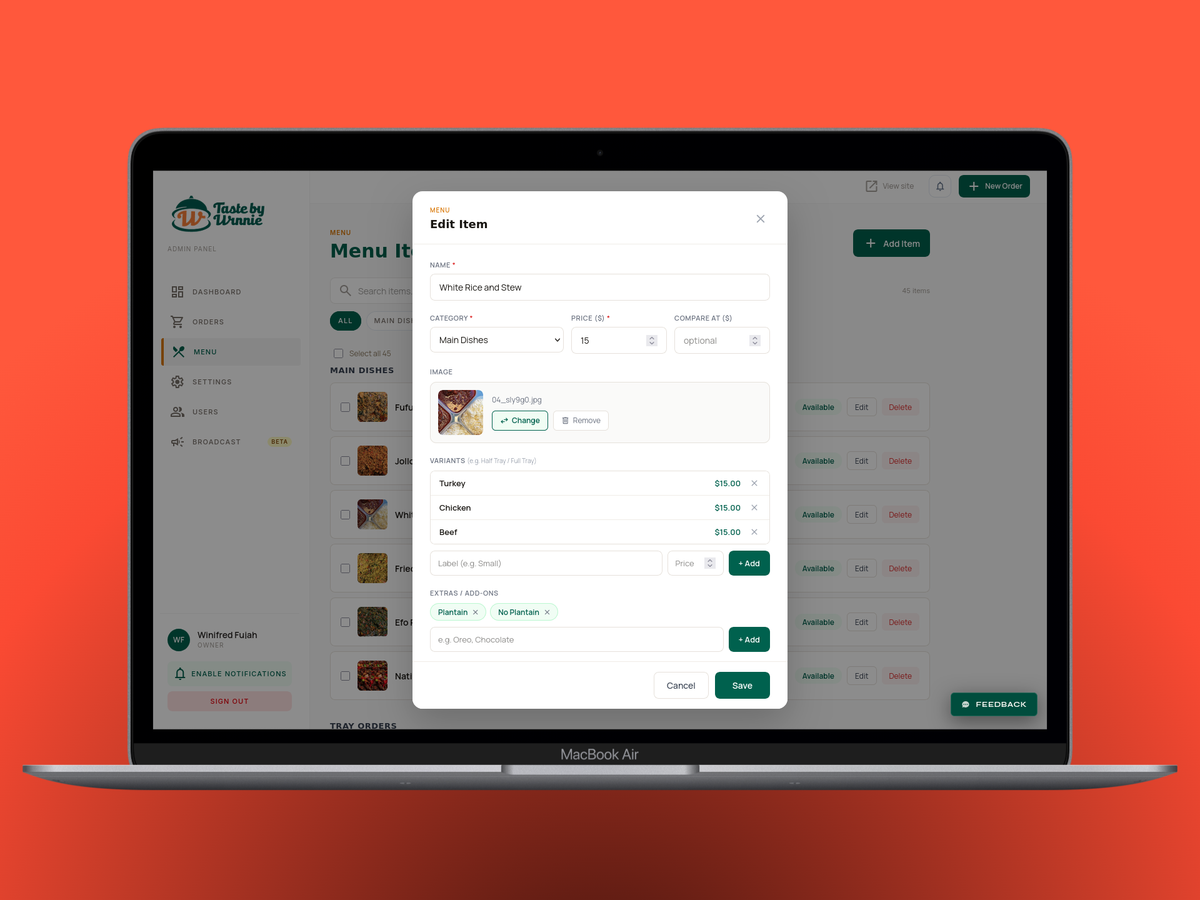
Menu management is fully in Winnie's hands. Add new items, edit existing ones, set variants with individual price overrides, add extras and add-ons, toggle availability without deleting, set sale prices, mark items as featured, and drag to reorder. Images are managed through a Cloudinary integration built directly into the edit modal. No developer, no FTP, no plugin updates — ever.
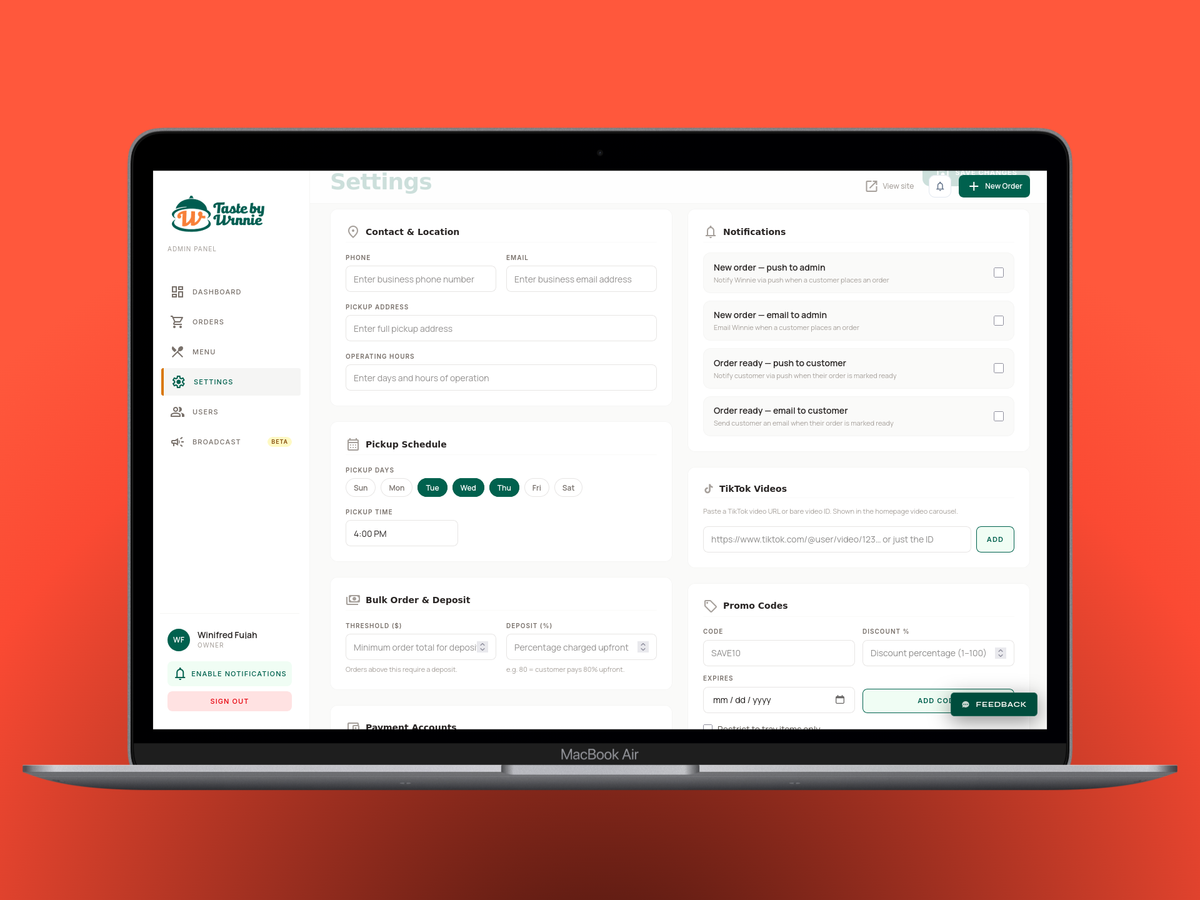
Everything about how the business operates is configurable from one settings panel. Pickup days, pickup time, pickup address, bulk order threshold, deposit percentage, promo codes with expiry dates, payment account handles for Zelle and Cash App, operating hours, policy text, FAQ items, and TikTok video IDs for the homepage carousel. Four notification toggles let Winnie control exactly who gets notified about what, independently.
Notifications that run themselves
Every order status change triggers the right communication automatically. No manual intervention needed.
New order placed, Winnie gets a push notification and an email. Order confirmed, customer gets a receipt. Order ready with no balance due, customer gets a push and email. Order ready with balance due, the system generates a payment link and sends it directly. Balance paid, confirmation goes out. Order fulfilled, thank-you email. Order cancelled, both sides are notified.
All email templates are branded consistently, and every email includes a link to a printable invoice. The admin also has an in-app notification centre with an unread count badge, showing the last 30 notifications at a glance.
A broadcast tool, added as a bonus
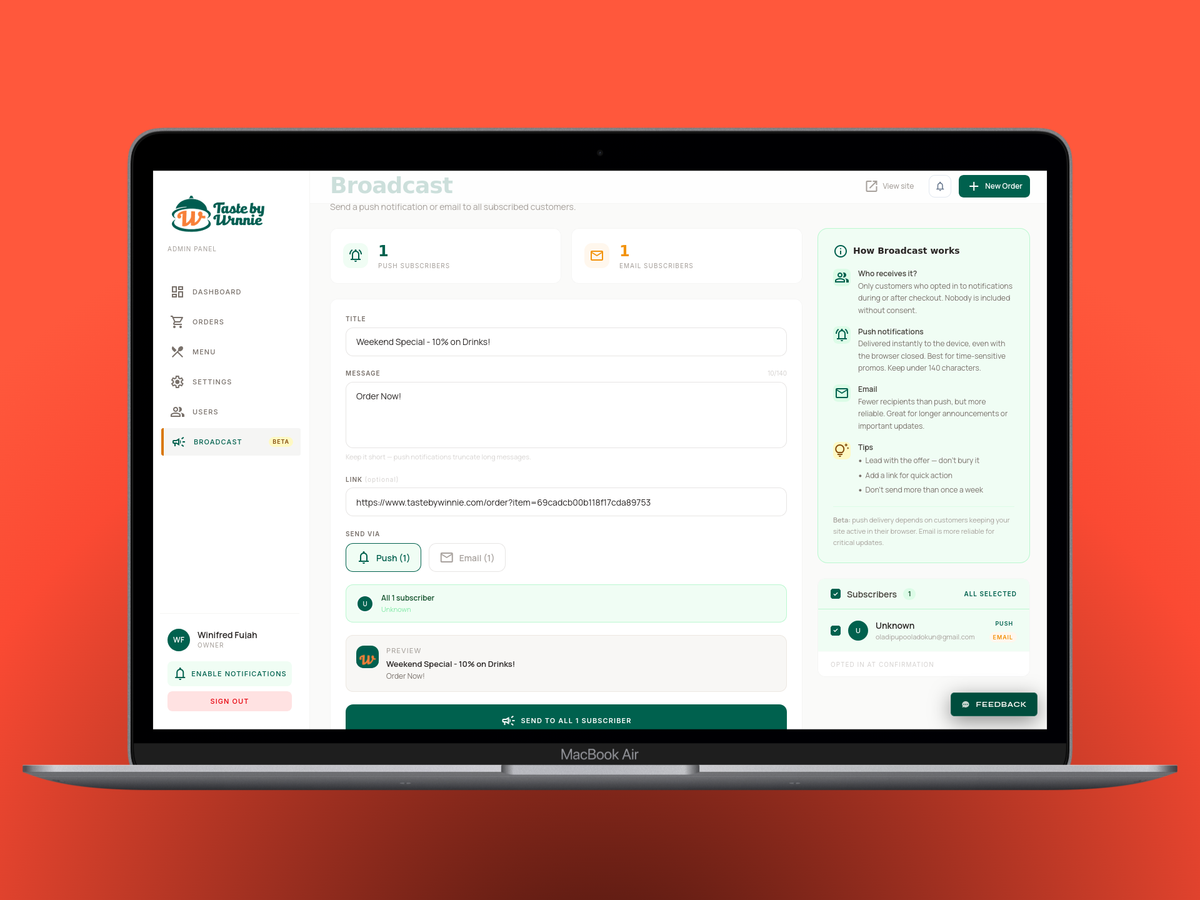
Not in the original scope. But while building the notification system it made complete sense to extend it. Winnie can now compose a message and send a push notification or email to everyone who opted in. Weekend specials, new menu items, seasonal announcements. Live delivery results show exactly how many went through, and the last 50 broadcasts are logged with full stats.
Staff, roles, and access control
The admin supports multiple staff accounts with three role tiers. Staff can update order statuses. Managers have full order management access. Owners get everything, including bulk actions, manual payment overrides, and the ability to add or remove team members. New staff accounts trigger a welcome email with login credentials and a direct link to the admin panel.
What we cut, and why
Customer accounts were replaced entirely with the email and phone lookup system. Less friction for customers, same result. Nobody needs a password to track their order.
WhatsApp notifications were scoped initially but cut after research confirmed that push and email covered everything the business needed, without the added complexity and cost.
Open pickup date selection was simplified to days Winnie configures in settings. It keeps the order flow fast and prevents customers from selecting days the kitchen isn't operating.
Under the hood, kept short
The entire backend runs serverless on Vercel. The frontend is SvelteKit with Svelte 5, Tailwind CSS v4. MongoDB Atlas for the database. Stripe and PayPal for payments. Web Push for notifications. Error tracking through Sentry. Usage analytics through Vercel Analytics.
The old WordPress site stayed live throughout the entire build. The new app was developed and tested on a separate deployment, with the domain switched over only when everything was ready. Zero downtime for the business.
The result
Live at tastebywinnie.com, built and launched in one week.
Winnie went from a static website with no ordering system to a fully automated operation where customers order online, pay instantly, get notified automatically, and track everything in real time. The team has a proper operations hub. The menu updates without a developer. The notifications run themselves. The website finally looks like the brand it is.
When she saw it live for the first time, her reaction said everything.
That's the only metric that matters.